C5 - Stream DLNA Chromecast Media Player5.0.8
Publisher Description
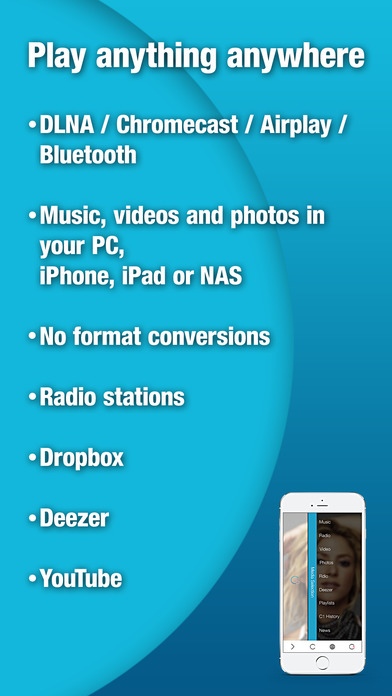
6 apps in one! Creation 5 is the first media app to bring together the 6 key media features: Music, Video, Net Radio, Photos, Music Streaming with Deezer and DLNA/Airplay/Chromecast/Bluetooth - all from the same stylish interface. No more switching apps!
Originally developed for the Bang & Olufsen BeoSound 5 and Playmaker, Creation 5 will automatically find any device on the network. Watch your favourite movies on the Big Screen or play your music collection through your home stereo system - it s a UPnP (Universal Plug & Play) media app! Available in 12 languages.
Features:
Music
Enjoy your music library in an easy-to-use, elegant interface
Access your iTunes playlists, and easily create new playlists
Enlarge your music collection with our ready-made playlists, new songs added every week!
Use DLNA, Airplay, Chromecast or Bluetooth to enjoy your music through your stereo system or TV
Supports MP3, WMA, FLAC and AAC audio formats
Video
Enjoy your movie and video collection on your mobile device or on the Big Screen using DLNA /Airplay/Chromecast / Bluetooth
Find YouTube videoclips for any song in your collection, or any song playing on Net Radio or Deezer
Create music video playlists
Supports all popular video formats, without conversion
Radio (available as an In-App Purchase)
Enjoy your favourite radio stations on your mobile device or on the Big Screen using DLNA /Airplay/Chromecast/ Bluetooth
40,000 Net Radio stations to choose from - listen to London s Capital Radio when you re in Hong Kong!
Like the song that s playing? Buy it through iTunes with one tap
Search for radio stations by the artist you want to hear, genre or location
Photos
Sort images into albums, select favorites
View on the Big Screen
Share with your friends via email, SMS, Facebook or Twitter
Music Streaming Service - Deezer
Over 20,000,000 songs - browse by artist, album, track or genre
DLNA/Chromecast (available as an In-App Purchase)
Automatically finds and connects to any DLNA or Chromecast device on the network or any Bluetooth device
Browse local content stored on a NAS, and sort it by artist, album, title or genre
Create playlists from different servers
Download music or videos stored on your NAS for offline playback
Please note:
DLNA/Chromecast streaming is not supported for Deezer.
DLNA/ Airplay/Chromecast devices must be on the same network as the iPhone or iPad
Compatible with the following brands supporting DLNA / Airplay:
Bowers & Wilkins / Bang & Olufsen / Twonky / Sonos / Xbox / PlayStation and many more!
Requires iOS 8.1 or later. Compatible with iPhone, iPad, and iPod touch.
About C5 - Stream DLNA Chromecast Media Player
The company that develops C5 - Stream DLNA Chromecast Media Player is See & Touch Marbella S.A.. The latest version released by its developer is 5.0.8. This app was rated by 1 users of our site and has an average rating of 3.0.
To install C5 - Stream DLNA Chromecast Media Player on your iOS device, just click the green Continue To App button above to start the installation process. The app is listed on our website since 2013-08-09 and was downloaded 95 times. We have already checked if the download link is safe, however for your own protection we recommend that you scan the downloaded app with your antivirus. Your antivirus may detect the C5 - Stream DLNA Chromecast Media Player as malware if the download link is broken.
How to install C5 - Stream DLNA Chromecast Media Player on your iOS device:
- Click on the Continue To App button on our website. This will redirect you to the App Store.
- Once the C5 - Stream DLNA Chromecast Media Player is shown in the iTunes listing of your iOS device, you can start its download and installation. Tap on the GET button to the right of the app to start downloading it.
- If you are not logged-in the iOS appstore app, you'll be prompted for your your Apple ID and/or password.
- After C5 - Stream DLNA Chromecast Media Player is downloaded, you'll see an INSTALL button to the right. Tap on it to start the actual installation of the iOS app.
- Once installation is finished you can tap on the OPEN button to start it. Its icon will also be added to your device home screen.
